Features · what you get

Everything a service team needs
in one place.

Six areas that drive day-to-day work in service companies. Scheduling, mobile app, documentation, statistics, roles and security — designed together, not glued from separate tools.

01 / Scheduling

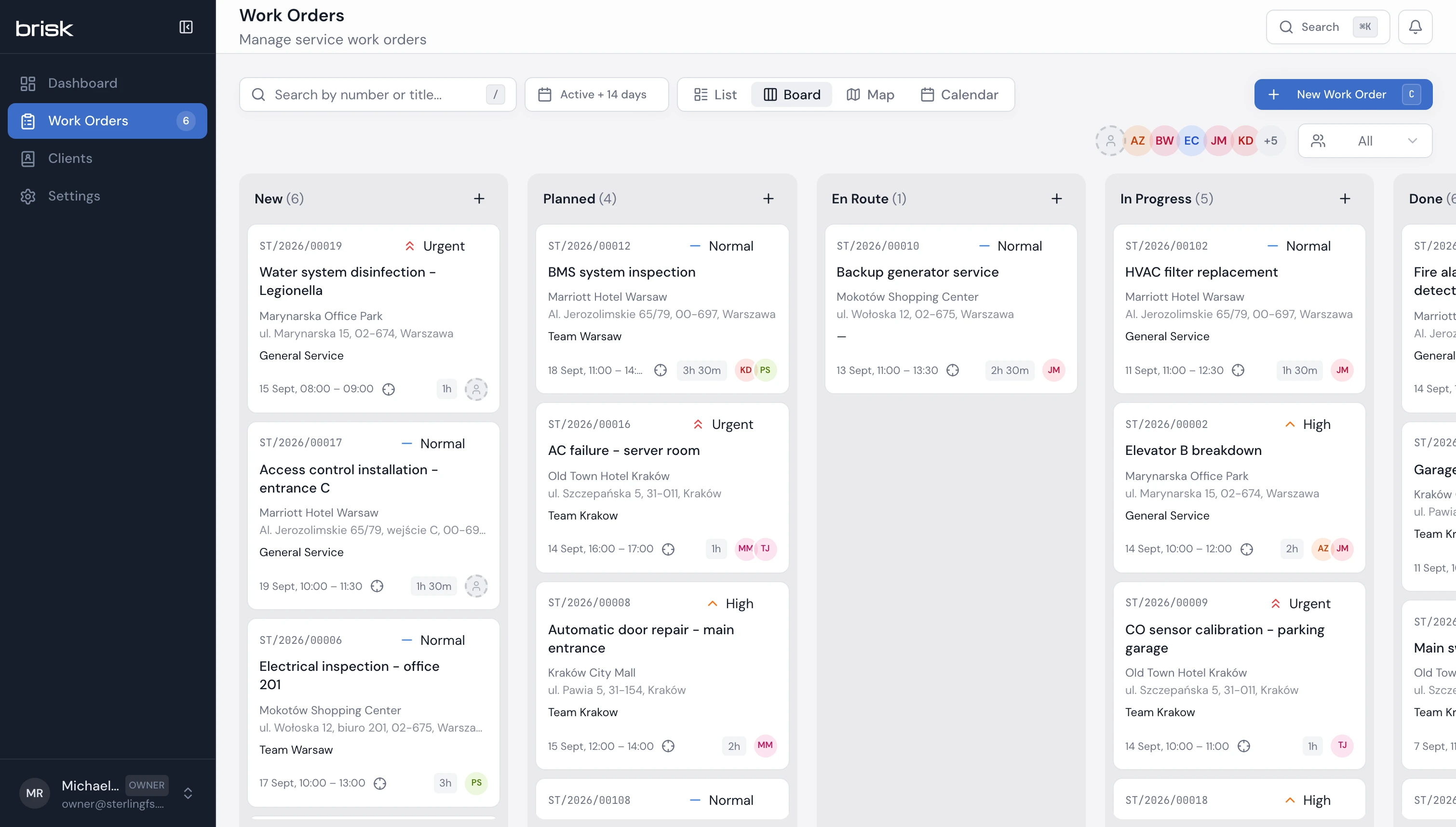
Service work order scheduling

Drag a work order between statuses, assign a technician, set priority — everything in one view.

  • Drag-and-drop kanban — move orders between statuses
  • Weekly and daily calendar for the whole team
  • Map with order pins coloured by status
  • Filter by coordinator, technicians, priority, deadline
  • Multiple technicians on one work order (field teams)
  • Quick quotes with online client approval
brisk-one.vercel.app/ / zlecenia
Brisk app screenshot
02 / Mobile

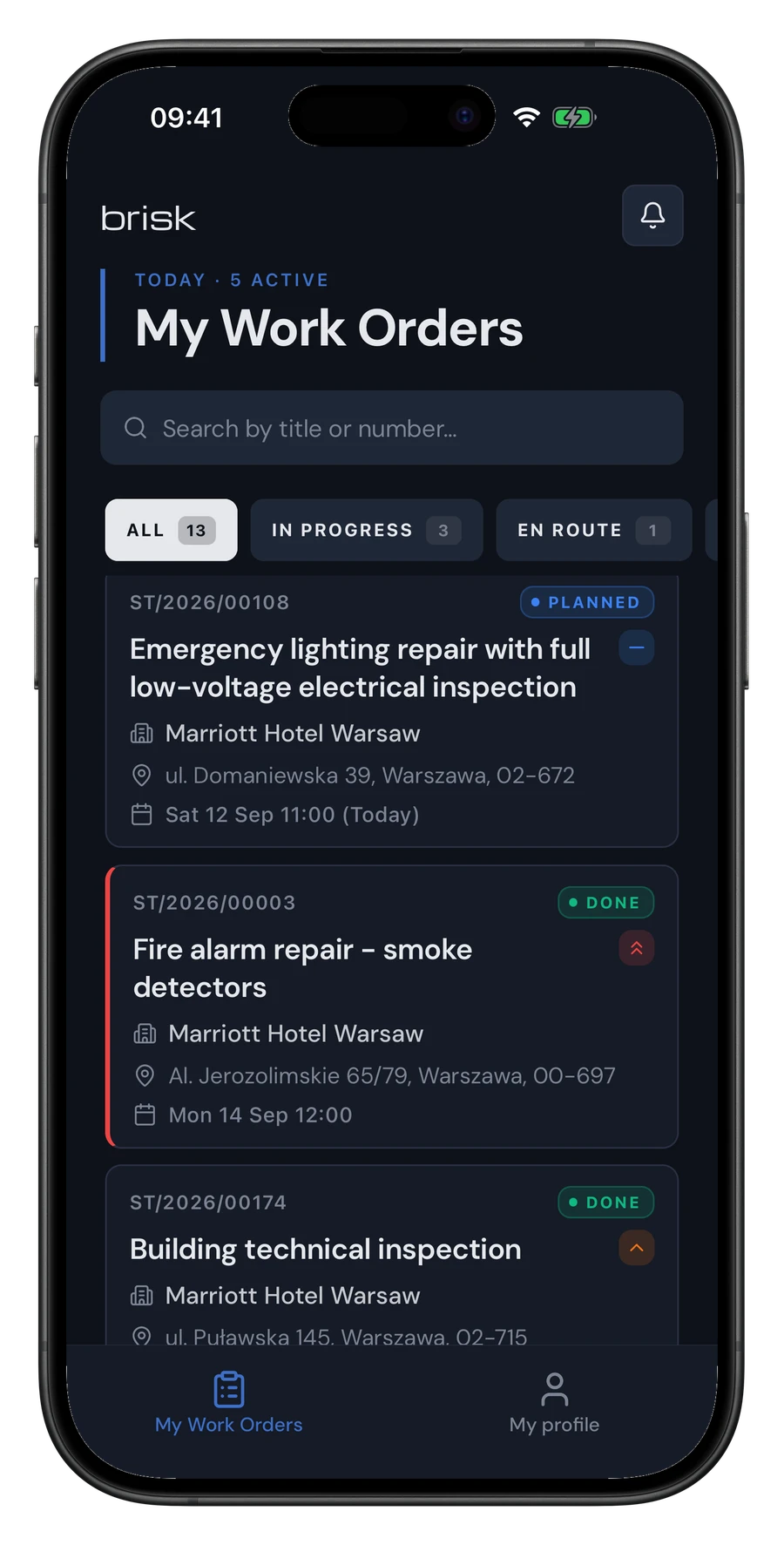
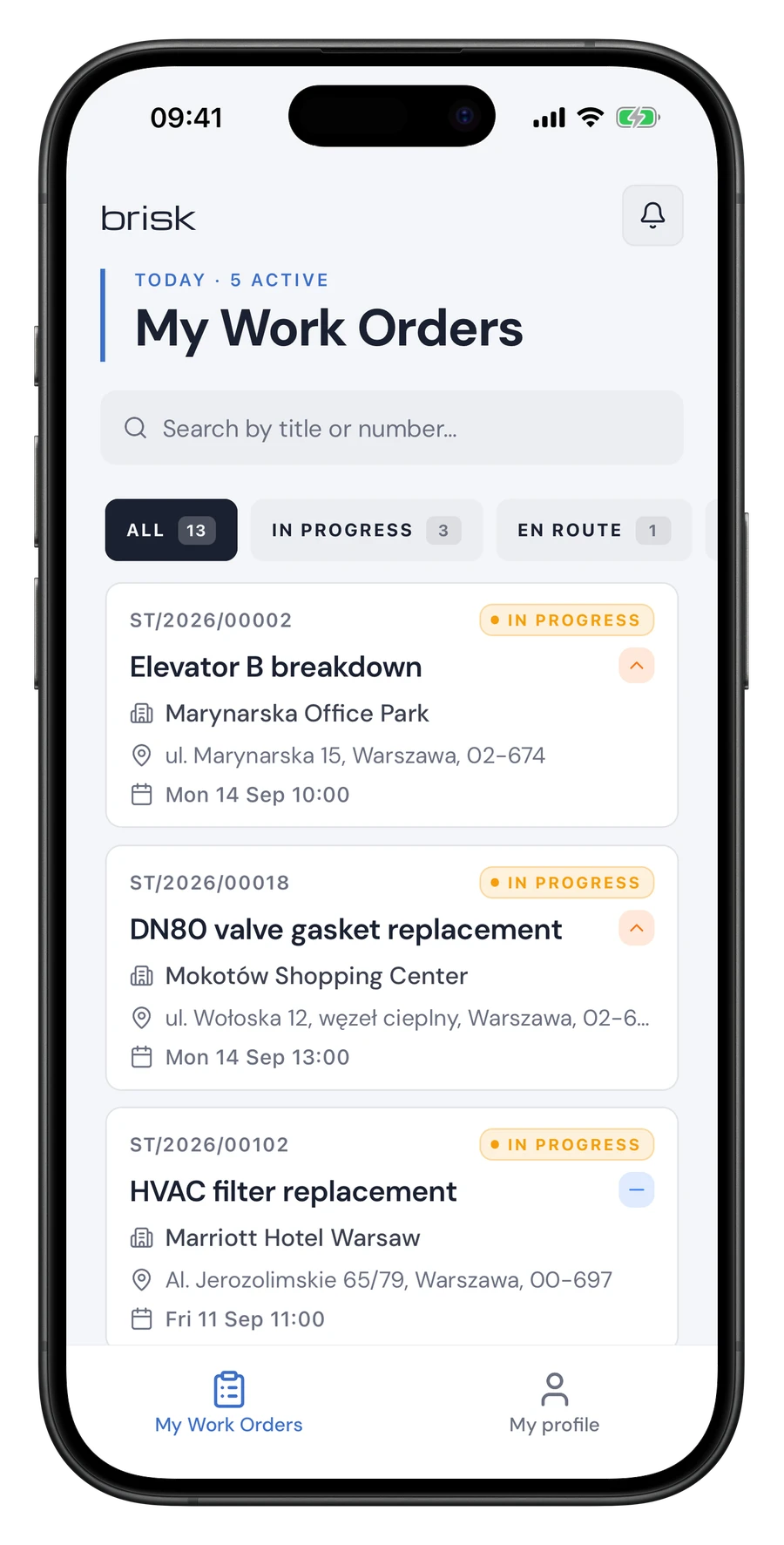
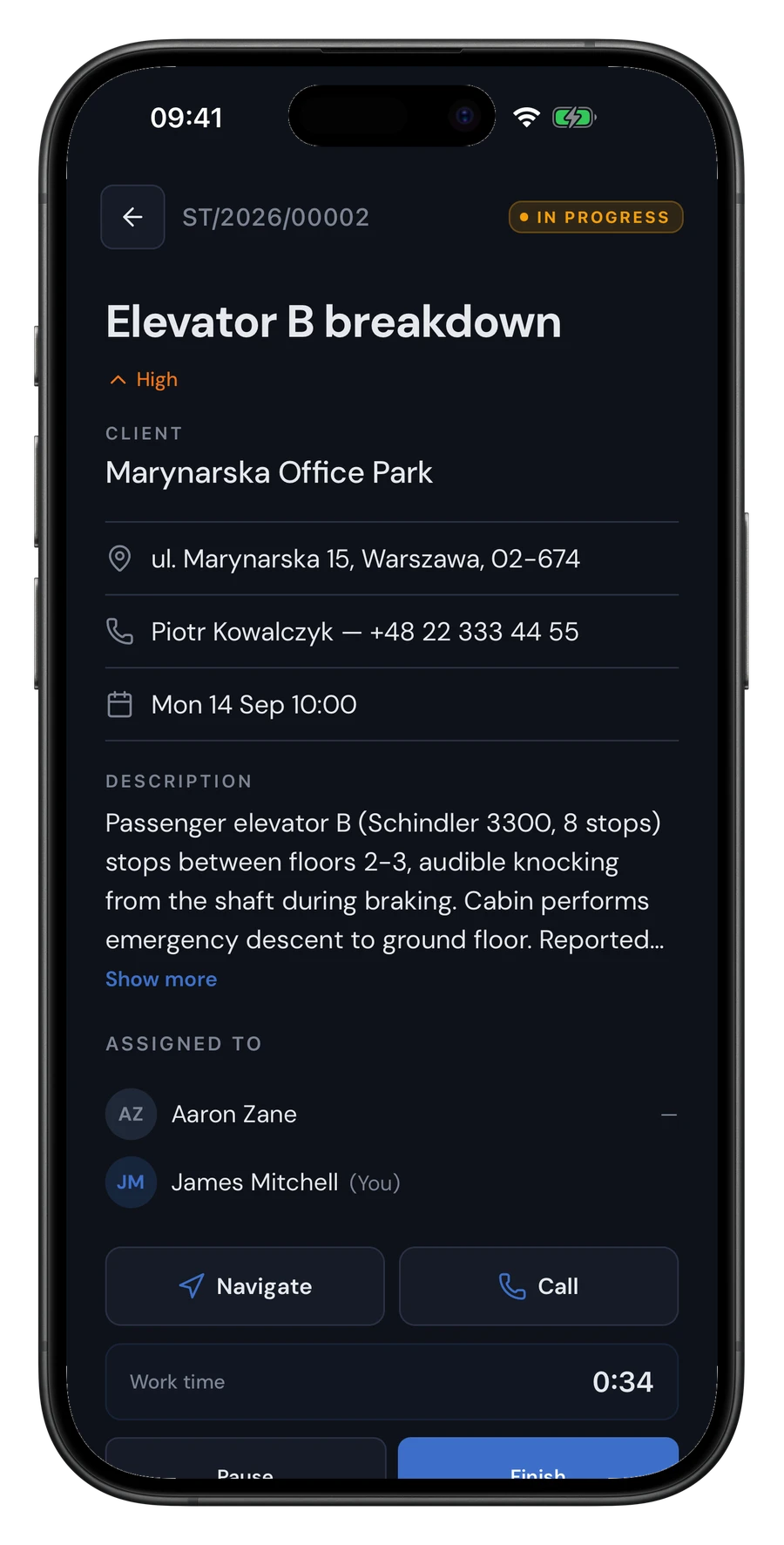
Mobile app for technicians (iOS, Android)

Every technician gets a native app. Works offline, syncs once back online.

  • Assigned work orders list with priorities
  • Offline work — photos, signatures, statuses saved locally
  • Field GPS tracking with background updates
  • Customer navigation through native system maps
  • Time tracking with auto start/stop on work order
  • Push notifications for new orders and changes
Brisk app screenshotBrisk app screenshot
03 / Checklists

Checklists and digital customer signature

End paper reports. The service protocol is saved straight in the app.

  • Task list to perform on every work order
  • Job photos added straight from the phone
  • Digital customer signature on the phone screen
  • Full history of actions and signatures in archive
Brisk app screenshot
04 / Dashboard

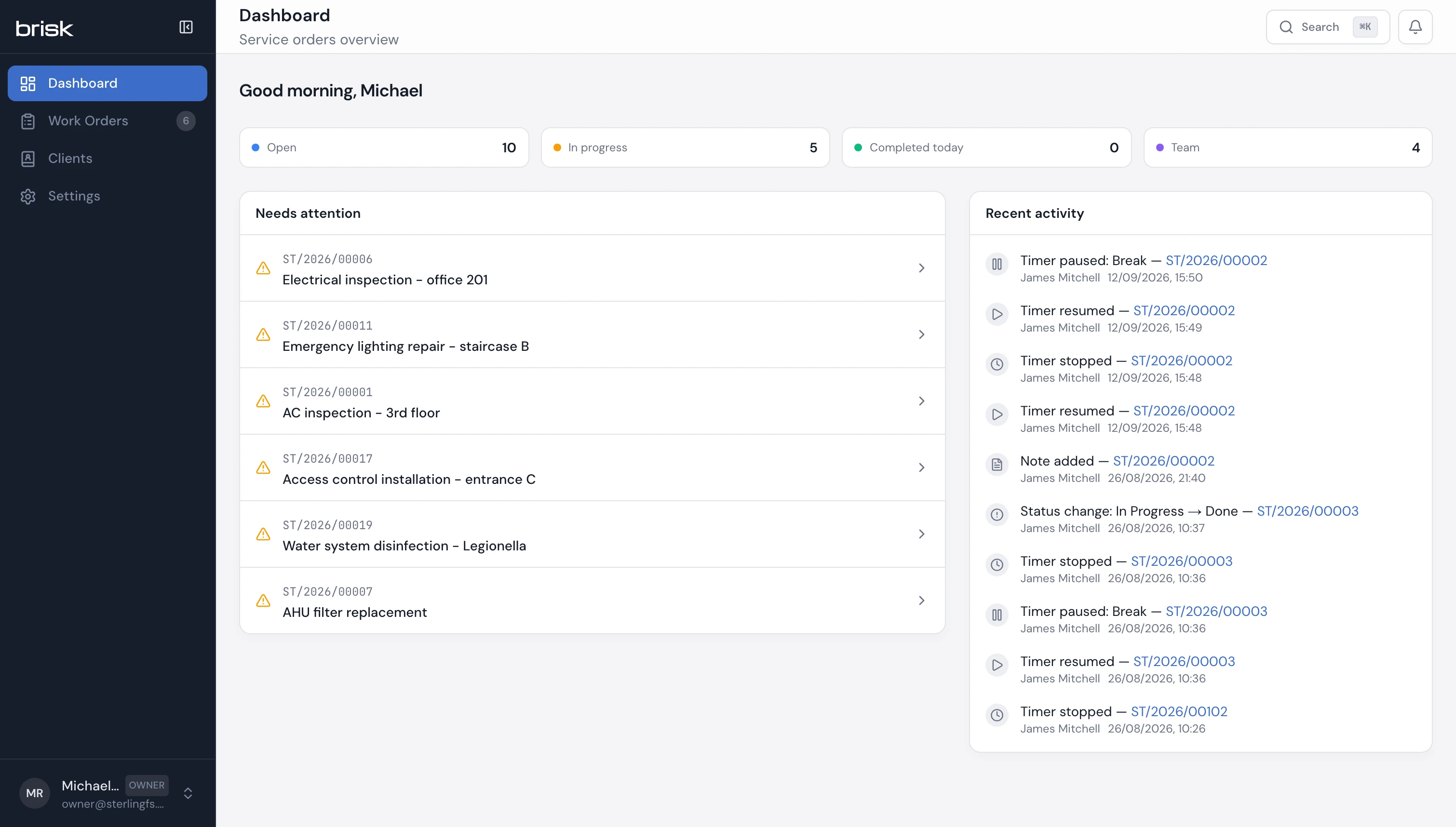
Live dashboard and statistics

The owner sees what's happening in the company in real time — without calling the coordinator.

  • Live dashboard: open orders, in progress, completed today, team in the field
  • Orders-needing-attention list — nothing stays unassigned
  • AI-generated summary of every completed work order
  • Current technician positions on the map
  • Timeline of every work order: who changed what and when
brisk-one.vercel.app/ / dashboard
Brisk app screenshot
05 / Roles & teams

Roles, teams and permissions

Four roles with different permissions. Everyone sees exactly what they should — and nothing more.

  • Roles: owner, admin, coordinator, technician
  • Field teams with assigned coordinator
  • Email invitations for new team members
  • Coordinator sees only their teams' work orders
  • Technician sees only the orders they're assigned to
  • Every work order change has an author and a timestamp
UprawnienieOwnerAdminKoord.Technik
Konfiguracja organizacji
Tworzenie zleceń
Przypisanie technika
Zamknięcie zlecenia
Raporty i statystyki~
Eksport danych
Dziennik audytowy
06 / Security

Security, GDPR and EU hosting

Your company's data kept separate from other companies' data. Hosted in the European Union. GDPR-compliant.

  • Each company's data separated at the database level
  • EU hosting (GDPR-compliant)
  • Encrypted connections (SSL/TLS) and encrypted data (AES-256)
  • Regular backups
  • Two-factor authentication (2FA) — planned
  • Export and delete all company data on request (GDPR art. 17, 20)
RODOAES-256TLS 1.3EU Hosting2FA

Ready to see Brisk in action?

Book 30-minute demo on data close to your operation. No slides — straight in the system, live.